
How to Use AdsLibrary
AdsLibrary is a powerful tool for saving ads. With one click, you can save creative ads from platforms like Facebook, Tiktok, Instagram, youtube, Twitter and LinkedIn. This guide will help you get started with AdsLibrary and boost your creative workflow.
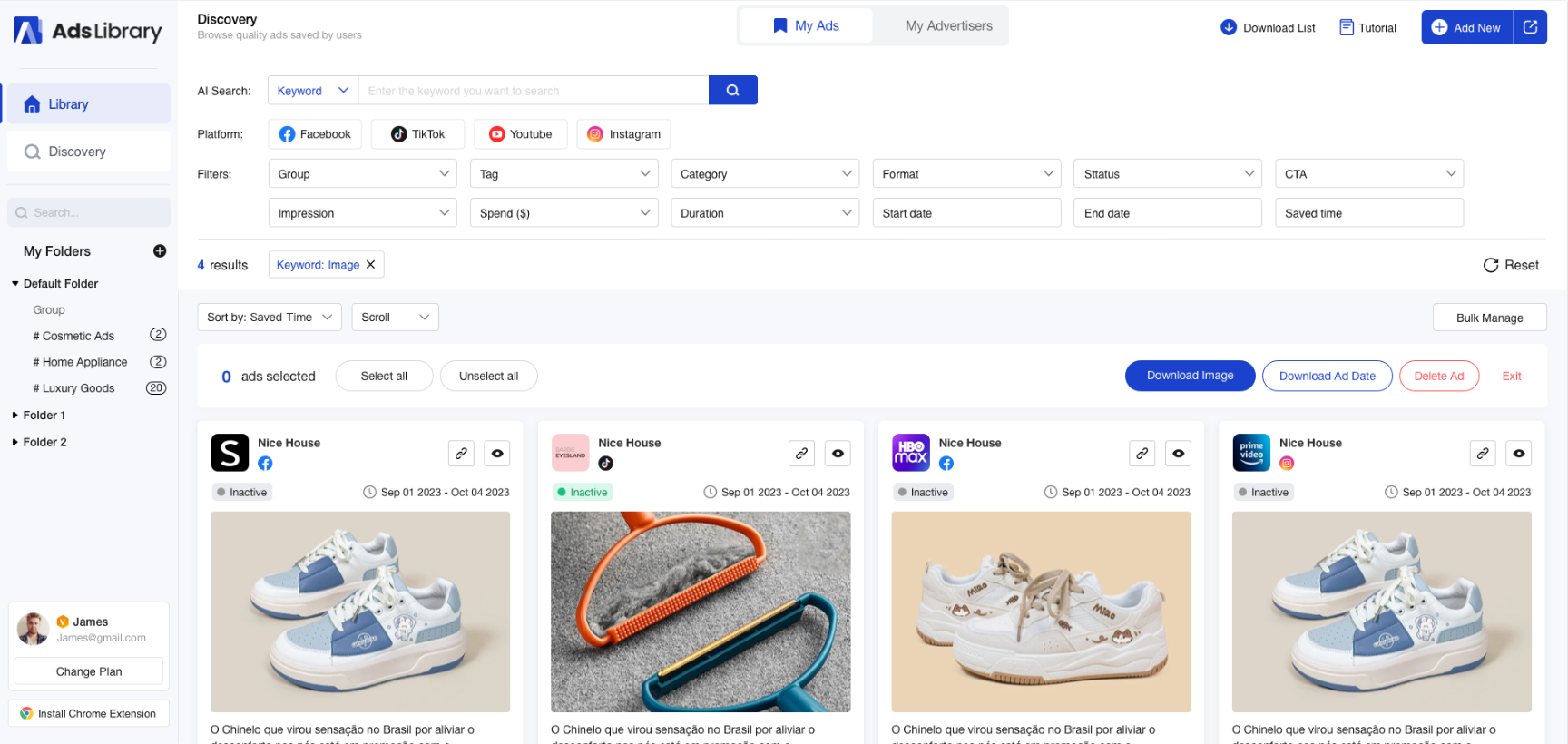
1. Install Chrome Extension
Create an Account
Before installing the extension, create an account on the AdsLibrary registration page using your email or Google account. Don’t worry — registration is quick and doesn’t require a credit card.
Download the Chrome Extension
Click below or visit the Chrome Extension page to install AdsLibrary Extension. Once installed, log in to your account and start saving ads instantly.
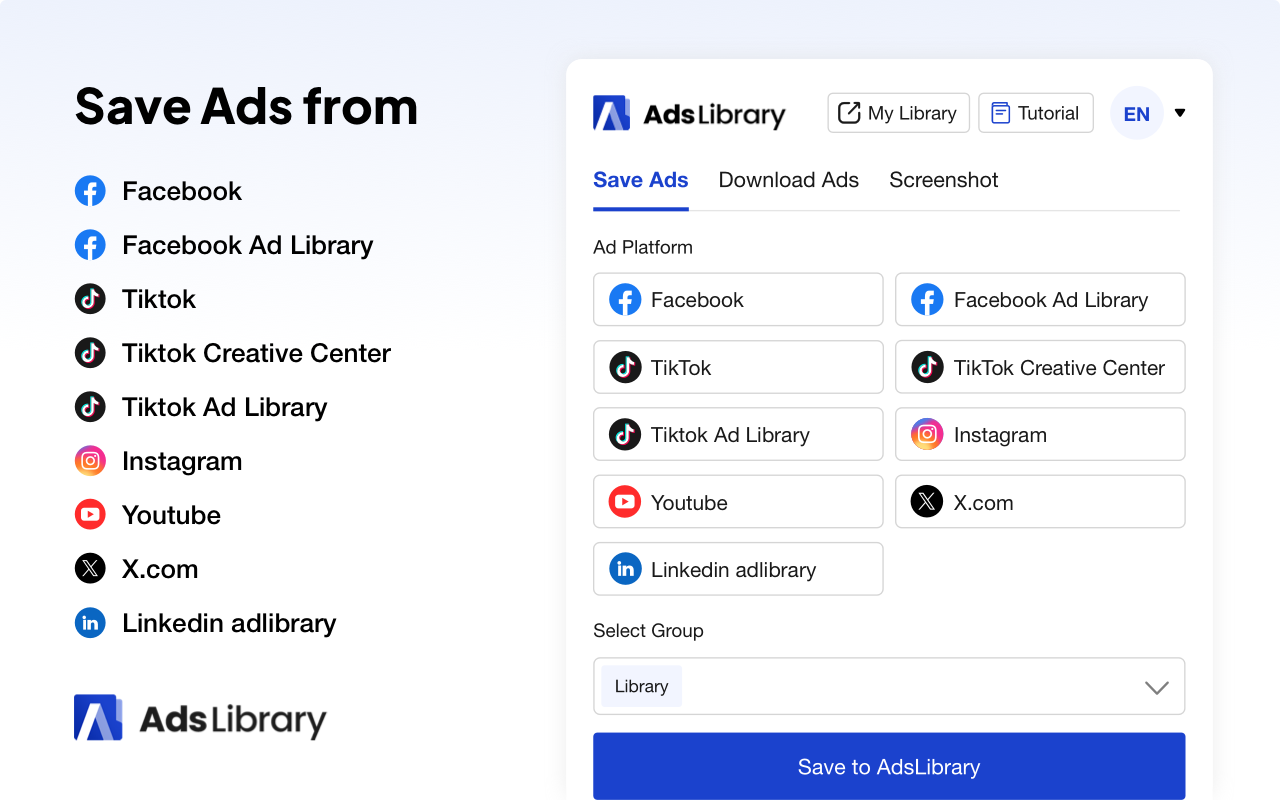
Install Chrome ExtensionOur extension gives you quick access to multiple ad platforms — save any ad you like directly with just one click.
2. Save Ads from the page
Take Facebook Ad Library as an example:
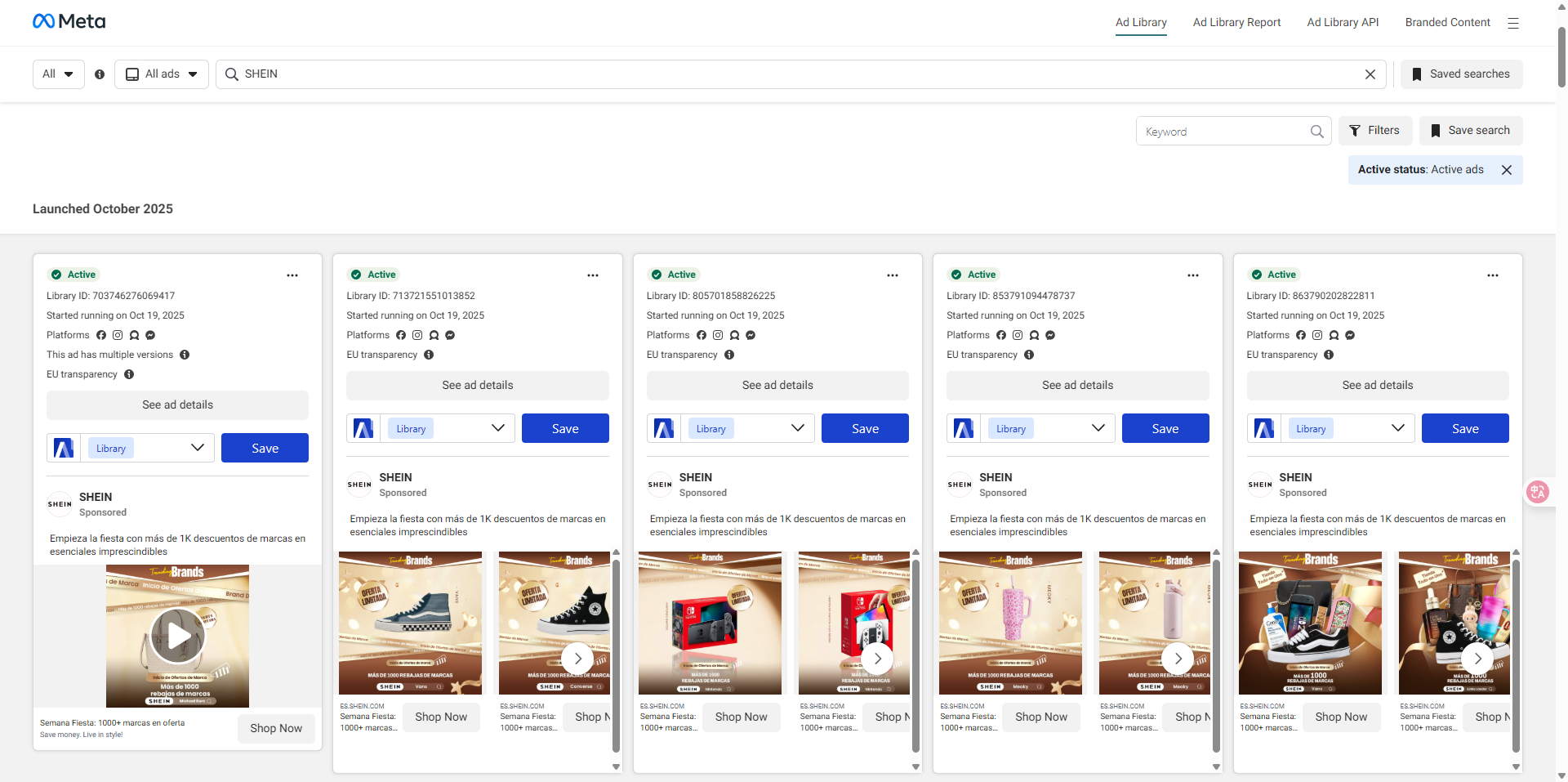
After installing the extension, open the Facebook Ad Library, search for any brand, and click "Save to AdsLibrary" on the ads you like. They'll be saved to your library instantly!
You can follow the same steps to save ads from Tiktok, Instagram, youtube, Twitter and LinkedIn.
Save Ads in Bulk
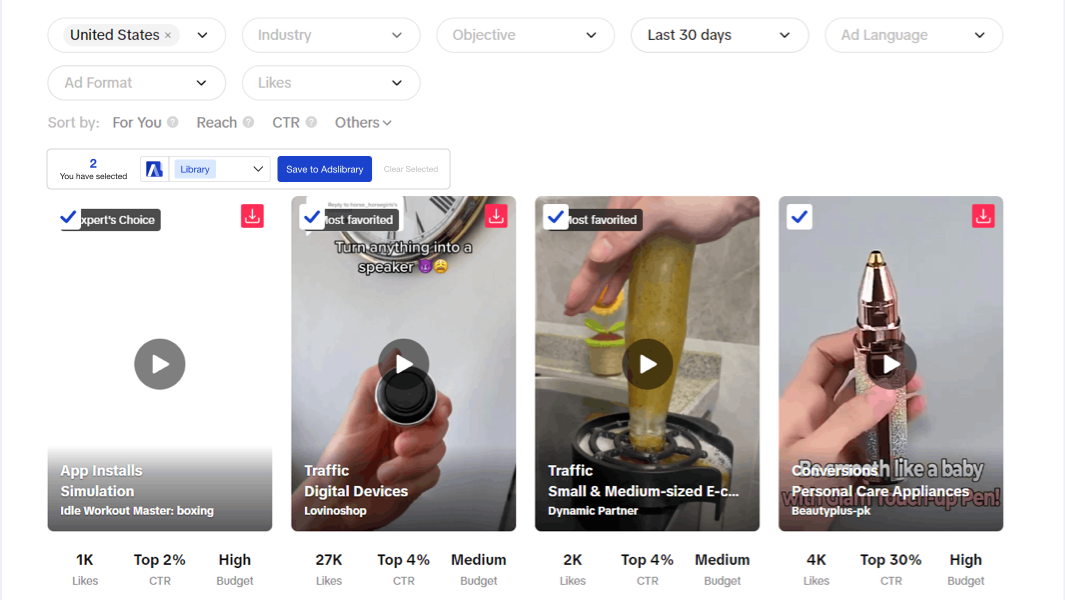
On TikTok or in the Tiktok Creative Center, just select the videos you want and click "Save to AdsLibrary". Everything you pick will be saved to your library in seconds.
3. Quick Download Ads
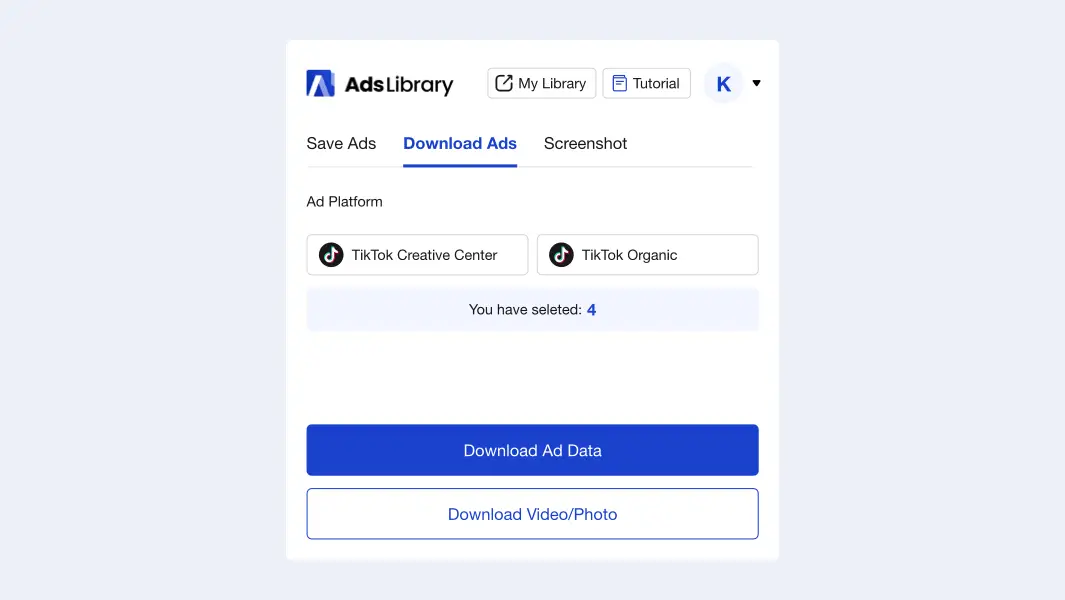
Download Ads from Extension
In the extension, you'll find a "Download Ads" option. This feature lets you download ad data or media directly from TikTok. Select the ads you want, then click "Download Ad Data" or "Download Video/Photo." The files will be saved to your computer instantly.
Note: Bulk download is currently supported only on the TikTok Search Results (Tops/Video) page and in the TikTok Creative Center.
Download Ads from Ad Details
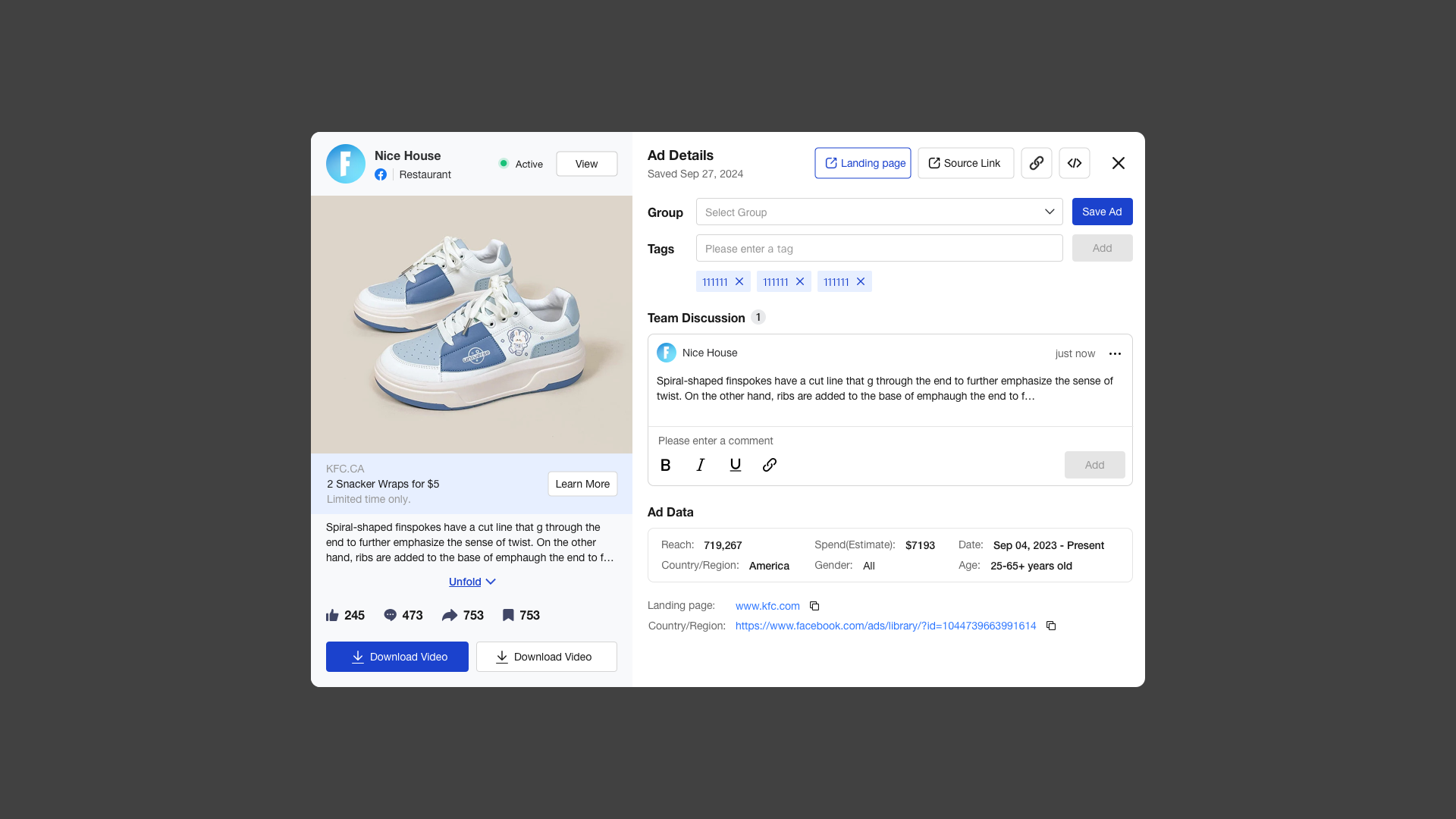
Once the ads are saved, you can check the details in your library. By click the ad card, all the details will be shown on the pop up window. Then you can click the "Download Ad Data" or "Download Video/Photo" button to save them to your computer. Due to the ads are saving in AdsLibrary permanently, you can download them anytime you want.
4. Screenshot Web Pages
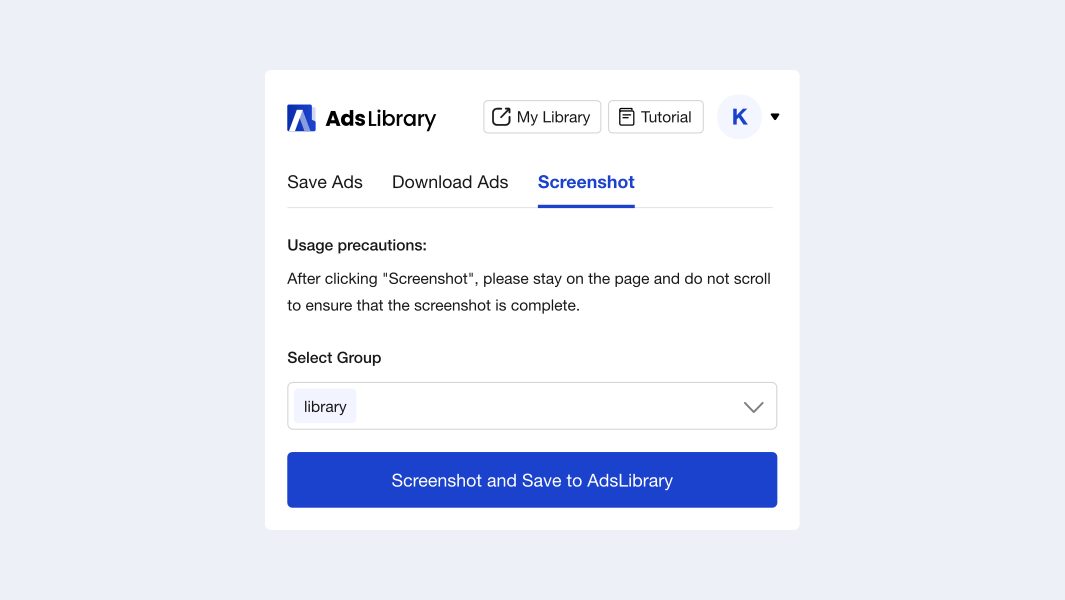
AdsLibrary lets you save any web page with one click. It takes a full-page screenshot and adds it to your library instantly. It’s perfect for keeping landing pages, ad campaigns, or creative web pages you don’t want to lose. You can easily view and manage all your saved pages in one place.
Note: To ensure the page is captured correctly, please stay on the current page and avoid scrolling while the screenshot is being taken.
5. Explore More Creative Ads
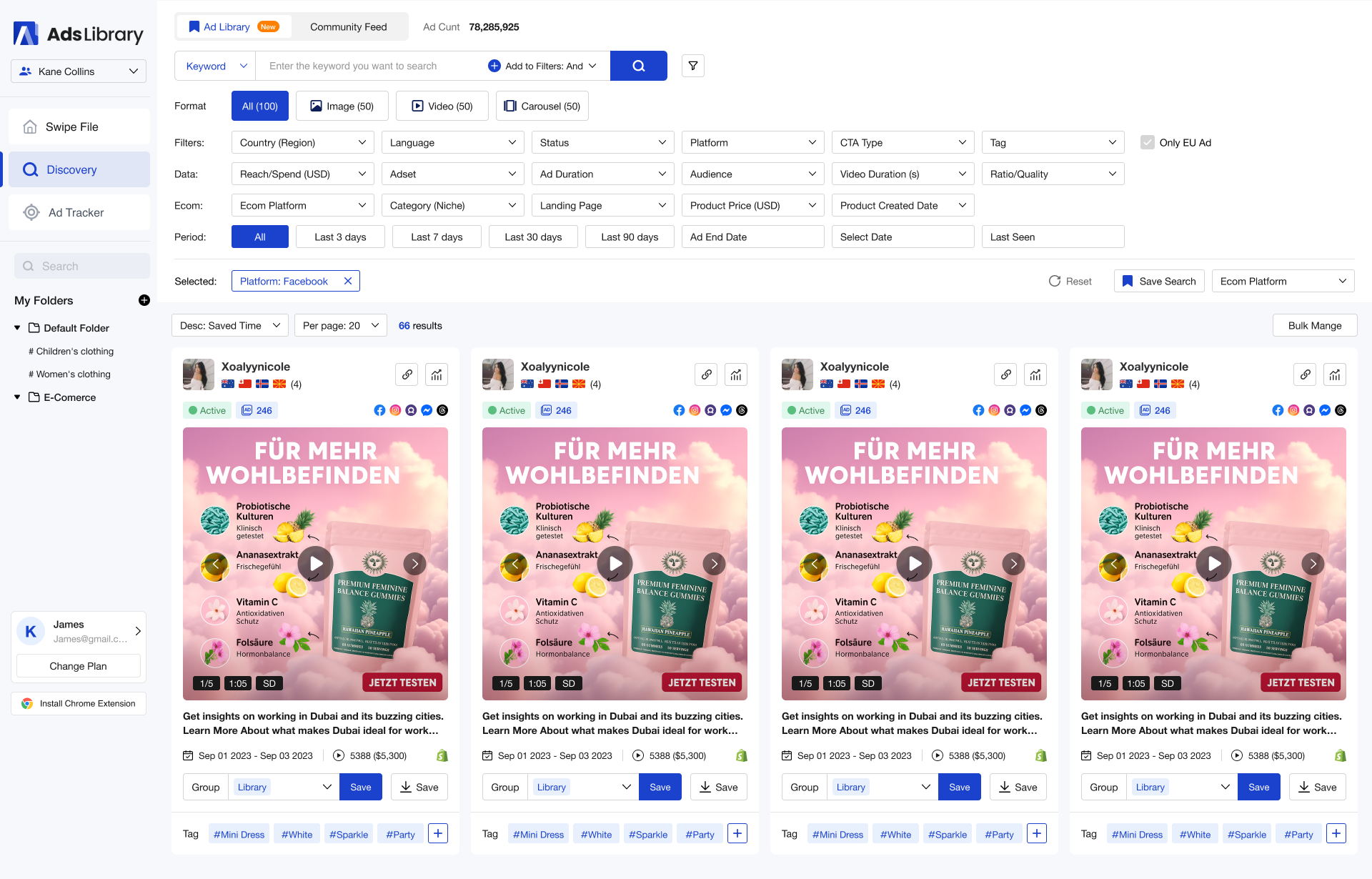
AdsLibrary is not just a tool for saving ads — it’s also a powerful creative ad center. We collect the newest and highest-quality ads from multiple ad platforms and update them daily.
You can explore and search for different types of ads in the "Adlibrary" section.
6. Manage Your Creatives
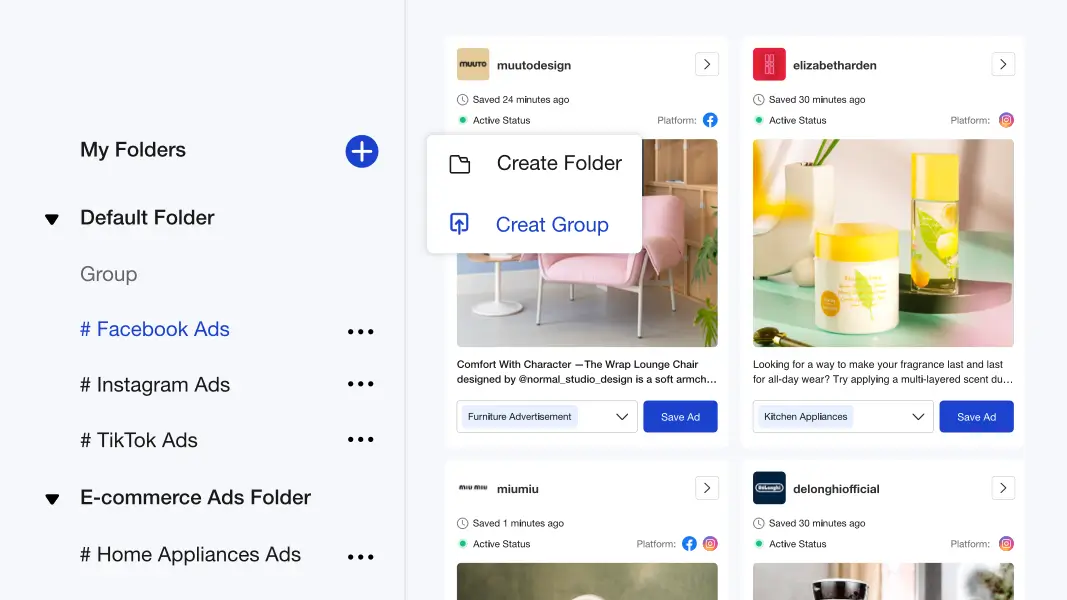
Folder & Group
Creating folders and groups keeps files organized. You can name folders and groups according to your needs. This enables you to manage your ads more efficiently.
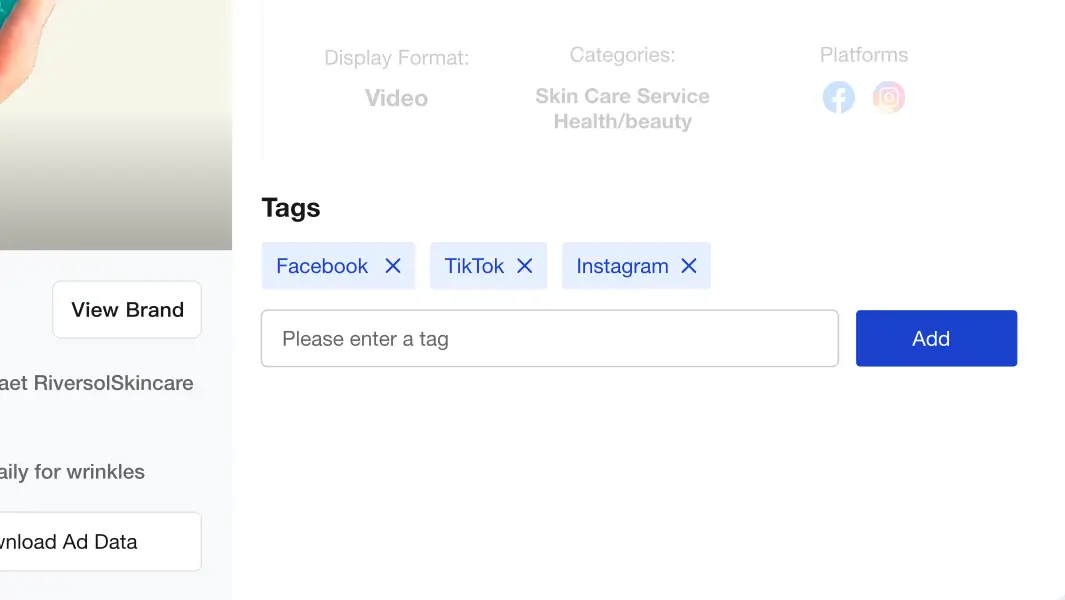
Tags
By adding tags, you can easily organize your saved ads and find them quickly later. Tags help you categorize your ads and locate exactly what you’re looking for with ease.
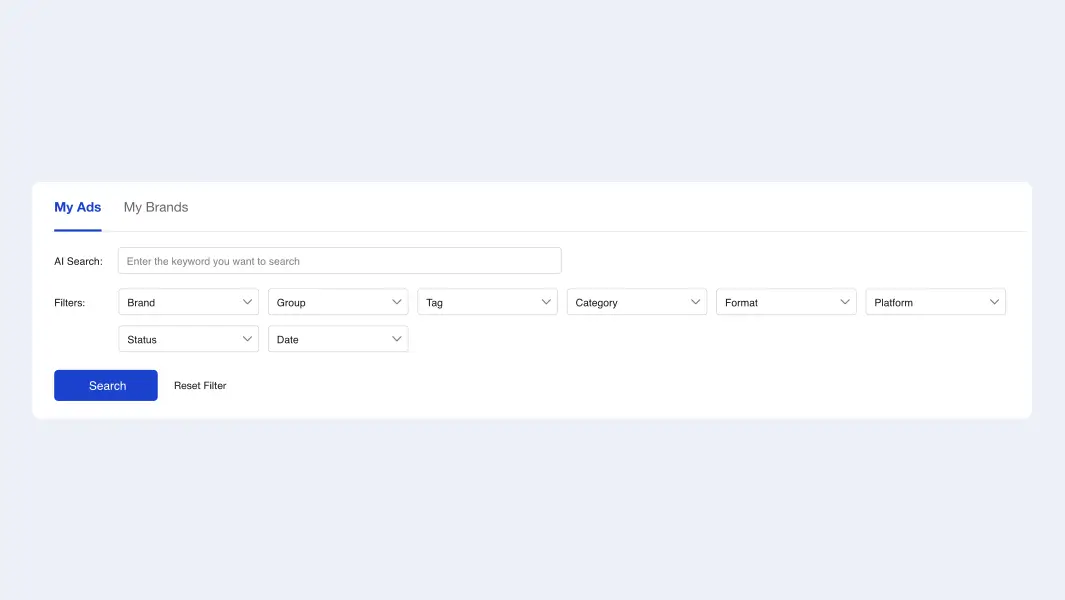
Ad Filters
You can use filters to find the ads you need more easily. Available filter options include:
- Duration
- Group
- Tag
- Category
- Format
- Platform
- Status
- Ad Date
- Impression
- Spend
7. Share with Team or Clients
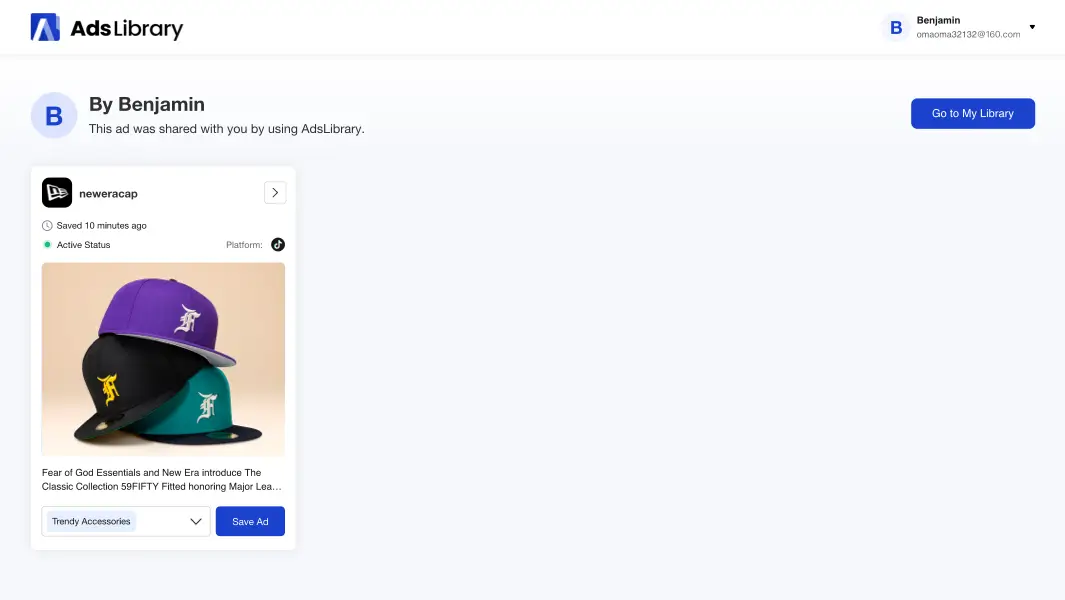
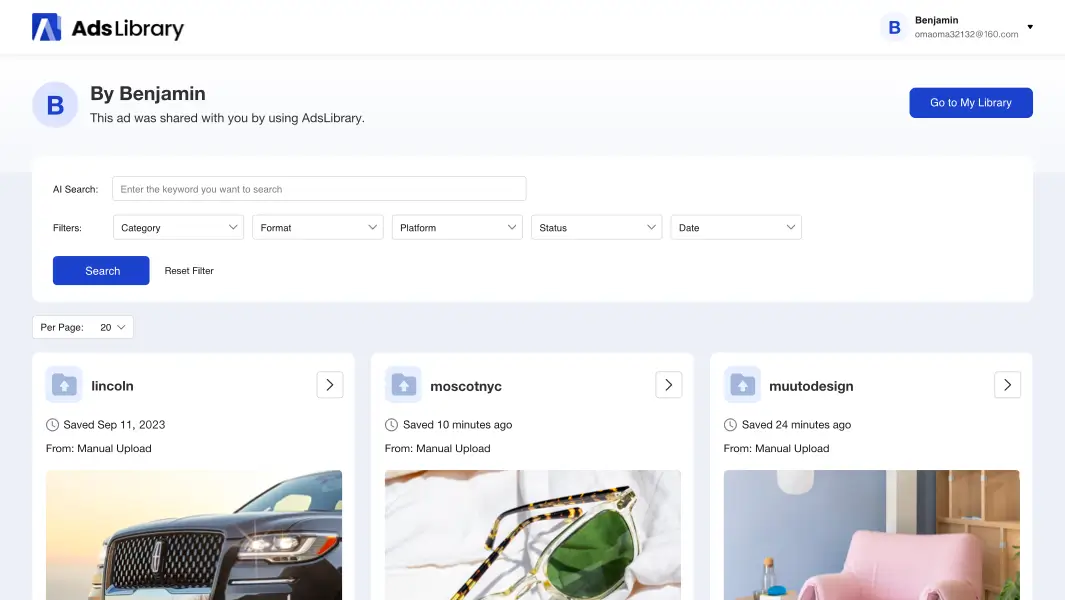
Share A Sigle Ads
Click the "Share" button on an ad card to copy its link. You can then share the ad easily with your team or clients.
Share A Whole Group
Select the ad group you want to share and click the "Share" button in the top-right corner. The link will be copied to your clipboard automatically. You can then send it to your team or clients so they can view the entire ad group. It’s an easy way to improve collaboration and communication.
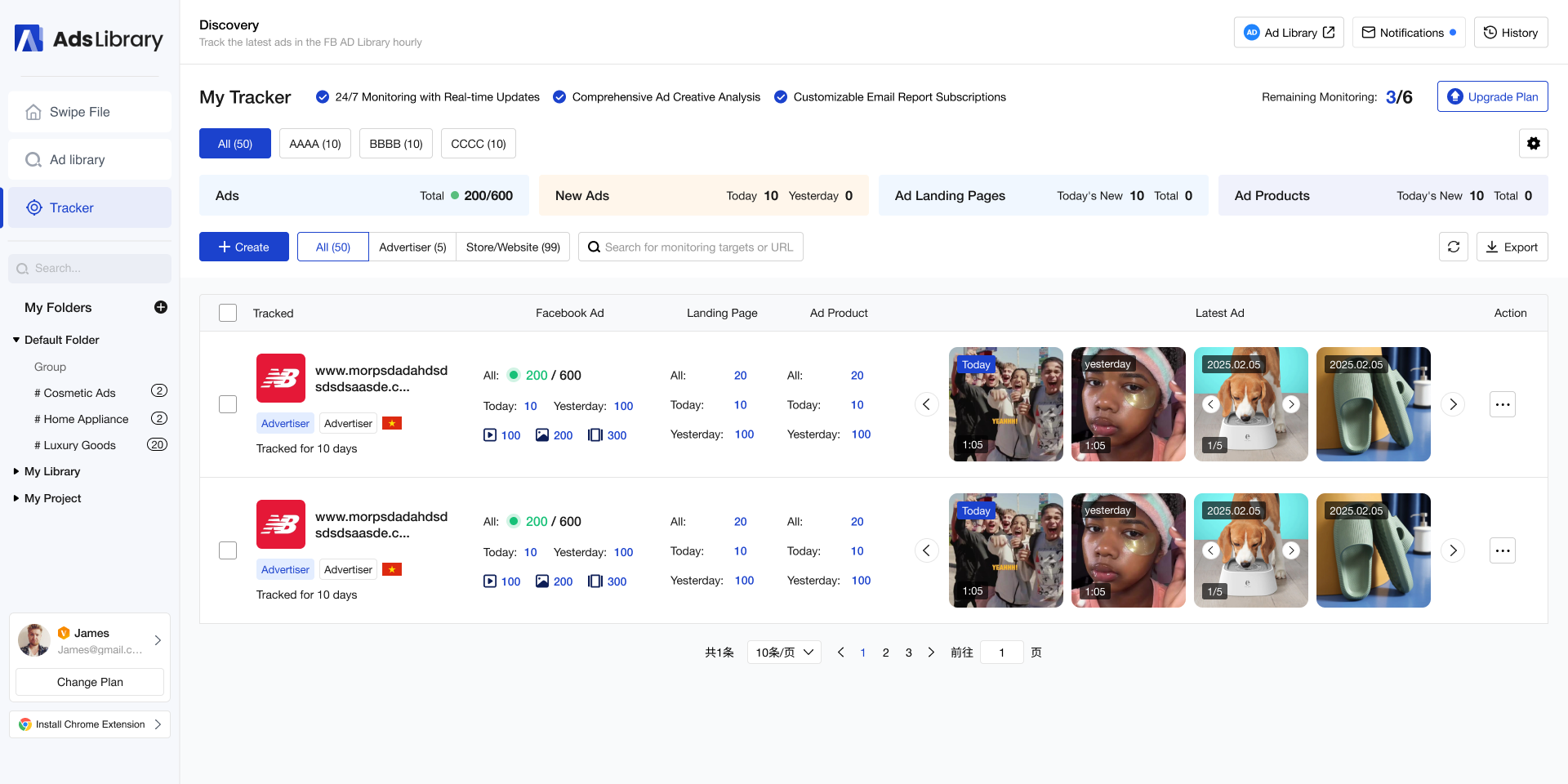
8. Track Your Competitors' Ads
Stop wasting time manually checking your competitors' Facebook ads every day. With AdsLibrary’s Ad Tracker, you can automatically monitor and analyze your competitors' facebook ads — 24/7. The Ad Tracker continuously detects new ads, tracks landing pages, and uncovers top-selling products — all without any manual effort.
Simply add your competitors by their Facebook ad account name, account link, page ID, or website URL, and let AdsLibrary handle the rest.
Start exploring today and discover what AdsLibrary can do for you!
Install Chrome Extension